
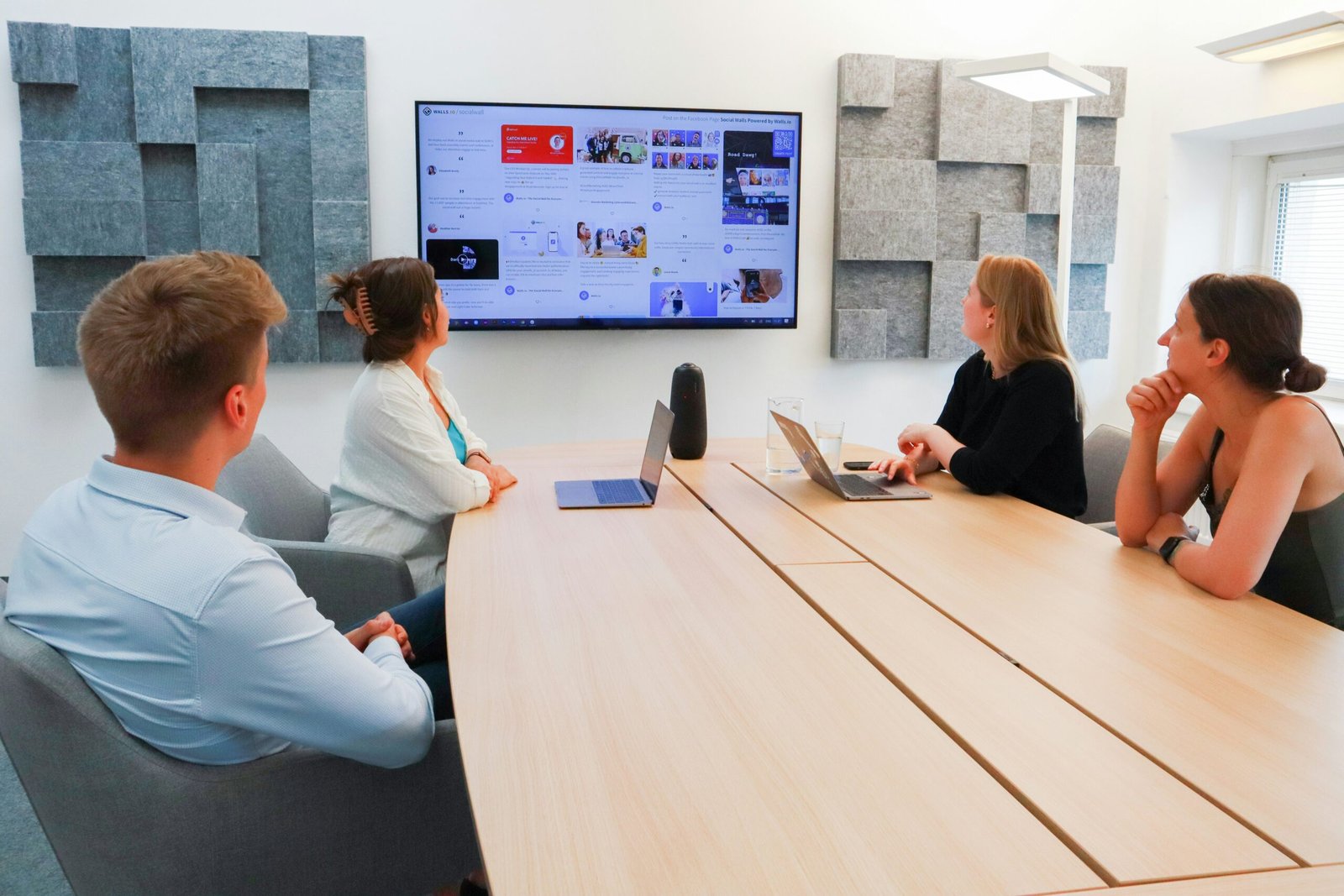
See Every Team’s Calls as They Happen
Managers can see calls waiting, the longest wait and calls answered by each department on a live wallboard, then move staff before callers are kept waiting.
Illustration only. The names and figures are examples, not a live system.
Is Your Phone System Holding the Business Back?
Somewhere between ten and fifty staff, most businesses notice the phones starting to struggle. Here is how the everyday problems change once every team shares a cloud phone system.
Calls bounce between departments before anyone can help.
A short welcome menu sends each caller straight to sales, accounts or support.
Adding a new starter means booking an engineer.
New users are set up online and ready to take calls in minutes.
A second office means a second phone system.
Every site and home worker shares one system, one directory and one set of call rules.
Nobody knows how many callers gave up waiting.
Live wallboards and reports show waiting calls, missed calls and your busiest times.
Staff working from home cannot answer the main number.
The desktop app puts the business number on any laptop with a headset.
Built Around the Way Each Team Works
A phone system for a medium-sized business has to serve several teams at once. Choose a department to see how its calls can be set up.
Sales Teams That Never Miss an Enquiry
New enquiries go to a dedicated queue that rings the next free salesperson, and busy periods overflow to a second team instead of voicemail.
- Queue with position announcements
- Calls ring the next free colleague
- Call recording for training
- Missed call alerts
Accounts and Credit Control
Invoice and payment calls reach the right people, card payments can be taken securely during the call, and recordings give a clear account of what was agreed.
- Direct dials for each person
- Secure card payments on calls
- Recording with long-term storage
- Opening hours rules
Support Desks With Live Visibility
Support calls queue in order, team leaders watch waiting times on a wallboard, and calls can overflow to colleagues in another office when the desk is busy.
- Live wallboard for team leaders
- Skills-based routing
- Speech and sentiment analytics
- Post-call customer surveys
Reception and the Main Number
Your main number greets callers with a professional welcome, and the receptionist can see who is free before transferring a call to any desk or site.
- Welcome menu and greeting
- Presence for every colleague
- Transfers to any office
- Out-of-hours messages
Managers With the Full Picture
Directors and team leaders get live and scheduled reports across every department and site, with the figures they need to plan staffing and service.
- Weekly reports by email
- Missed calls by team
- Busiest hours by site
- Service level tracking
How a Call Moves Through Your Business
In a growing business, calls arrive for several teams at once. Clear routing means each caller reaches the right department quickly, whichever office or home desk that team is working from.
Welcome and Menu
Your greeting confirms the business and offers a choice of sales, accounts or support.
Queue Position Announced
If the team is busy, the caller hears their place in the queue instead of an endless ring.
Next Free Colleague Rings
The call reaches the first available person in that department, at any of your sites.
Overflow or Voicemail
Busy periods can overflow to another team, and out-of-hours calls go to voicemail by email.
Features That Keep Every Department Connected
From the first welcome message to the end-of-day report, each feature is set up around your teams, and you only pay for the users you need. Our business phone systems for SMEs suit firms from ten users to a few hundred.
Welcome Menus by Department
A recorded greeting and auto attendant route calls to sales, accounts or support before anyone answers.
Live Wallboards and Reports
See calls waiting, service levels and missed calls by team, live on screen or in scheduled reports.
Call Queues With Announcements
Callers hear their place in the queue, then reach the next free colleague.
Desktop App and Headsets
Staff answer the business number on a laptop or PC with a headset using our desktop app.
Hunt and Ring Groups
Calls ring a whole team at once, in turn or by whoever has been free longest.
Call Recording and Retention
Record by user or team with our VoIP call recording, kept for 30 days and extendable to 180 days, with cold storage for up to 10 years.
Extension Dialling Between Sites
Every office shares one directory, and colleagues call each other on short extension numbers.
CRM and Helpdesk Links
Supported integrations bring up customer records as the phone rings and log calls automatically.
Not sure which features each team needs? We will suggest a setup for each department, with a clear quote to match.
Call 01325 647000Office Calling for Everyone, Contact Centre Tools Where Needed
You do not have to choose one or the other. Both run on the same platform, and each team gets the level of tools it needs.
Unified Communications for Every Team
UCaaS (unified communications as a service) brings calls, chat and video meetings together in one app for office staff, managers and home workers, all on the business number.
Departments share one directory and can see who is free before they transfer a call.
Contact Centre Tools for Busy Desks
CCaaS (contact centre as a service) adds skills-based routing, live wallboards, quality management and analytics for sales and support teams that spend the day on the phone.
Supervisors can monitor calls, coach staff and see service levels as they happen.
Contact Centre Features for Busy Teams
When a sales, support or bookings team spends most of the day talking to customers, contact centre tools help them answer faster and give managers a clear view of service. They run on the same platform as your office phones, and you can add them to one team without changing anyone else.
One Screen for Every Channel
Calls, web chat, email and social messages arrive in one agent workspace, with the full customer history beside each conversation.
AI Agents for Routine Requests
Describe what an AI agent should handle, such as order updates or account queries, and it answers around the clock. When a person is needed, the call passes over with the full context.
Speech and Sentiment Analytics
Conversations are transcribed and analysed, highlighting tone, keywords and compliance phrases without anyone listening to every call.
Quality Management and Coaching
Supervisors score calls against your own standards, listen in where needed and give each person feedback they can act on.
Real-Time and Journey Reporting
Track answered and abandoned calls, wait times and the full customer journey, with reports scheduled to managers each week.
Secure Payments During Calls
Customers can pay by card while they are on the phone, with PCI DSS compliant processing that keeps card details away from agents and recordings.
Automatic Customer Surveys
Short post-call surveys ask customers how you did, and the results sit alongside your call reports.
More Than 50 Ready-Made Integrations
Connect CRM, helpdesk and ticketing systems out of the box, or use open APIs to link your own software.
Video Sessions for Faster Fixes
Agents can send a secure link to start a video session and see a customer’s problem for themselves, saving wasted call-outs.
The cloud platform behind our phone systems carries a 99.999% uptime service level across calls and contact centre tools. It is built with no single point of failure, monitored around the clock, and keeps UK customer data within the UK.
One System for Every Office and Home Worker
Many SMEs now have a head office, a second site and staff who work from home for part of the week. A cloud phone system gives them all one directory, one set of call rules and one bill.
Head Office
An office phone system with desk phones, reception, queues and wallboards for your busiest teams.
Branch Offices
Local numbers for each site, extension dialling between offices and transfers as easy as between desks.
Home Workers
The desktop app puts the main number on a laptop with a headset, with presence and video meetings built in.
Phone Systems for Growing Firms in Every Sector
In the UK, a medium-sized business usually has 50 to 249 employees, and together with small businesses these make up the SMEs behind more than 99% of UK firms. We continually help and support growing firms right across the UK, from professional practices with a business phone system in Leeds to distributors in Manchester, care providers in Glasgow and manufacturers in Birmingham.
Professional Practices
Direct dials for each adviser, a shared reception number and recording where regulation needs it.
Professional services guide →Distributors and Wholesalers
Separate queues for orders and deliveries keep customers away from the wrong team.
Logistics guide →Manufacturers
Join the sales office, works floor and stores, with calls routed by shift.
Manufacturing guide →Healthcare and Care Groups
Appointment lines, queues and out-of-hours messages across several sites.
Healthcare guide →Financial Services Firms
Call recording, secure storage and clear records for advisers and brokers.
Financial services guide →Technology Companies
Support queues, softphones and integrations for growing tech teams.
Technology guide →Hospitality Groups
Bookings and front desk calls handled across several venues on one system.
Hospitality guide →Sales and Support Teams
Queues, wallboards and reporting for teams who spend the day on the phone.
Contact centre guide →The guides below cover just some of the sectors we support. Our Areas We Cover page shows how we look after businesses across the whole of the UK.
Leased Lines
Dedicated and uncontended
The same upload and download speeds at all hours, backed by a service level agreement with a fixed repair target.
Find out about leased linesFull Fibre
Growing offices
Plenty of room for calls, video meetings and cloud software at the same time, at a lower cost than a leased line.
Explore fibre broadbandFTTC and SoGEA
Branch offices
Dependable calling at a sensible cost for smaller sites and branch offices with a few users.
See FTTC and SoGEA broadbandOne provider for your phone system and connectivity means a single support team to ring if anything goes wrong.

- Departments and queues built
- Numbers moved in stages
- Each team trained
Illustration only. The business, callers, numbers and times are examples, not a live system.
Moving Your SME Onto a Cloud Phone System
We start with how calls reach each team today, where they go when people are busy, and what you would like to measure.
Audit Your Current Setup
We look at your numbers, lines, contracts and any on-site system, and note where calls are currently lost.
Design Departments and Queues
Together we map menus, queues and ring groups for each team, including out-of-hours rules.
Move Numbers in Stages
Numbers transfer at quiet times, one site or department at a time, and customers keep reaching you.
Train Each Team
Receptionists, agents and managers each get training on the parts of the system they use most.
What Growing Businesses Say About Working With Us
Whatever your size, you deal with the same friendly UK-based team from your first call to day-to-day support.
Moving to rural office space, without the benefits of reasonable broadband speed, and without telephony services include, Blake Telecom directed us to alternatives and the solution we have is excellent. 4G Wi-Fi VoIP, serving our current needs and situation perfectly. The team were succinct in his explanation of what we could achieve, providing something promptly and getting this set up with minimum fuss and delay.
Blake Telecom have been paramount to the growth of our business by continuing to offer our business the very highest level of service. The equipment we have been supplied has been extremely flexible allowing us to change needs. Blake Telecom’s knowledge and expertise has been very professional and we look forward to working together on our future projects.
Blake Telecom have revolutionised the way we operate. They have gone the extra mile in making the setup process painless and it was easy to install. Any questions are dealt with quickly and efficiently, and the staff are a pleasure to deal with. I truly wish we found them years ago. We recommend Blake Telecom to many of our suppliers and even customers whenever we can.
Awards won by the cloud platform we supply.
Security Standards Behind Your Calls and Data
The cloud platform we supply holds ISO 27001 for information security management, ISO 27017 for cloud security, a SOC 2 report on how customer data is protected and Cyber Essentials, the UK government-backed scheme against common online threats. It also supports GDPR and PCI DSS compliance. These certifications belong to the platform provider, while we look after your setup and support.




Questions SMEs Ask Us
Here are the questions growing businesses ask us most before they switch.
Which phone system suits an SME?
For most SMEs, a cloud VoIP phone system is the most practical choice. It handles several departments and sites on one platform, adds queues and reporting as you need them, and has no on-site equipment to maintain.
What is a VoIP phone system for SMEs?
It is a business phone system that sends calls over your internet connection instead of traditional phone lines. Your numbers, queues and menus live in the cloud, and every office and home worker connects to the same system.
What counts as an SME in the UK?
SME stands for small and medium-sized enterprise. In the UK, that usually means a business with fewer than 250 employees, with medium-sized firms employing between 50 and 249 people.
Can one phone system cover several offices?
Yes. Every site joins the same cloud system, shares one directory and dials colleagues by extension. Each office can keep its own local number, and calls transfer between sites as easily as between desks.
Can we keep our existing numbers?
Usually, yes. We transfer your current numbers in planned stages, often one site or department at a time, and customers, adverts and listings keep reaching you.
Do you offer call queues and wallboards?
Yes. Each department can have its own queue with position announcements, and live wallboards show calls waiting, wait times and who is free.
Can staff working from home answer the main number?
Yes. The desktop app lets home workers make and take calls on the business number from a laptop with a headset, using the same queues and transfers as the office.
Will a cloud phone system work with our CRM?
Many popular CRM and helpdesk platforms can be linked, bringing up customer records as the phone rings. We check your systems before you switch.
Does an SME need a contact centre system?
Only if a team spends most of the day on the phone. Many SMEs add contact centre tools to their sales or support desk alone, keeping standard calling for everyone else on the same platform.
Can AI answer routine calls for us?
Yes. AI agents can handle routine requests such as order updates, opening times or account queries at any hour, and pass the caller to a person with the full context when needed.
What connection does an SME phone system need?
Most offices run well on full fibre. Busier head offices often choose a leased line for dedicated, symmetrical speeds, and we can add a backup connection for resilience.
Can we record calls?
Yes. You choose which users or teams are recorded, and recordings are kept in warm storage for 30 days, which can be extended to 180 days, with cold storage for up to 10 years.
How long does it take to move an SME onto a cloud phone system?
Most moves are planned over a few weeks. We configure users, queues and menus before go-live, and phones normally work minutes after they are plugged in. Number transfers are scheduled around your quiet times.
How much does an SME phone system cost?
Plans start from £8.99 a month per user, and the total depends on the number of users, the features each team needs and your connectivity.
Let’s Find the Right Phone System for Your SME
Tell us how calls reach each team today, how many sites and home workers you have, and what you would like to measure, and we will suggest a practical setup with a clear quote to match.
Once you say go, we handle design, number transfers, training and support. One friendly UK-based team looks after it all, from a single busy office to firms spread across several sites.
Our team is available Monday to Friday, 9am to 5.30pm.
- UK-based support from day one
- Numbers moved in planned stages
- Apps for your laptop and desktop
- Queues and wallboards for busy teams
- Plans from £8.99 a month per user
Reviewed by Glenda Jackson, Designer at Blake Telecom, on 15/10/2026.
